- Messages
- 7,935
- Joined
- Sep 9, 2014
- Reaction score
- 7,765
- Points
- 628
Thanks William, here is an updated build for the Solo4k guys.Working fine with me...in Open Multiboot....if thats any help..

Thanks William, here is an updated build for the Solo4k guys.Working fine with me...in Open Multiboot....if thats any help..
Ask @majz i do not own this model.Hi,
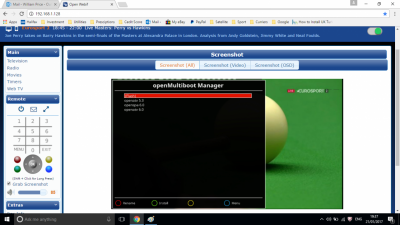
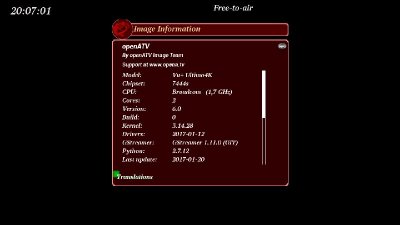
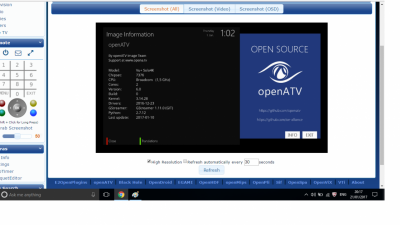
Can I see the screenshot with working image on Ultimo4k, please?
Regards,
Greg

after it has been flashing for about 1minHi,
I know exactly how to flash my box.
When I insert the usb and reboot and then when I press the power on button on the front panel, the box stay in Flashing and it is unable to finish this operation. To finish the box flashing it is needed to see the message "Update rootfs" on LCD screen but this is not goes to happen.
Regards,
DJWeed
when you have rebooted and it says flashing remove the usb and reinstall it then it will say updating rootfs and carry on loading this is the only way to do this if your box stays in flashing tried and tested by a number of people on this forum.Hi,
I know exactly how to flash my box.
When I insert the usb and reboot and then when I press the power on button on the front panel, the box stay in Flashing and it is unable to finish this operation. To finish the box flashing it is needed to see the message "Update rootfs" on LCD screen but this is not goes to happen.
Regards,
DJWeed

I thought we were talking about Ultimo 4kVU duo work in multiboot with that image...it is fast enought
No mistake, thanks for giving feedback.No... is about build custom for all vu receivers...not all have vu 4k
It is a request for status so I confirmed at vu duo work with custom build...so where is my mistake?
Hi,
It is just hard to believe that this image do working on @majz set-top-box. I tried many ways to flash my box by this image. One of the way is to clean memory by original image anytime before I try to flash my box. I used different kernels versions built in to original image and after that always flashing oATV was stopped on screen as I written above.
Regards,
DJWeed
Thanks William, here is an updated build for the Solo4k guys.Working fine with me...in Open Multiboot....if thats any help..
Ask @majz i do not own this model.Hi,
Can I see the screenshot with working image on Ultimo4k, please?
Regards,
Greg
after it has been flashing for about 1minHi,
I know exactly how to flash my box.
When I insert the usb and reboot and then when I press the power on button on the front panel, the box stay in Flashing and it is unable to finish this operation. To finish the box flashing it is needed to see the message "Update rootfs" on LCD screen but this is not goes to happen.
Regards,
DJWeed
when you have rebooted and it says flashing remove the usb and reinstall it then it will say updating rootfs and carry on loading this is the only way to do this if your box stays in flashing tried and tested by a number of people on this forum.Hi,
I know exactly how to flash my box.
When I insert the usb and reboot and then when I press the power on button on the front panel, the box stay in Flashing and it is unable to finish this operation. To finish the box flashing it is needed to see the message "Update rootfs" on LCD screen but this is not goes to happen.
Regards,
DJWeed
I thought we were talking about Ultimo 4kVU duo work in multiboot with that image...it is fast enought
No mistake, thanks for giving feedback.No... is about build custom for all vu receivers...not all have vu 4k
It is a request for status so I confirmed at vu duo work with custom build...so where is my mistake?
Hi,
It is just hard to believe that this image do working on @majz set-top-box. I tried many ways to flash my box by this image. One of the way is to clean memory by original image anytime before I try to flash my box. I used different kernels versions built in to original image and after that always flashing oATV was stopped on screen as I written above.
Regards,
DJWeed