- Messages
- 26,070
- Joined
- Sep 10, 2014
- Reaction score
- 3,913
- Points
- 728
Black Hole 3.0.3c VU+ DUO2 Backup By DirtyDonki 09/01/2017
Bootlogo

Splash Screen & LCDbootlogo

Whats Included?
Black Hole 3.0.2E of 09/01/2017
Settings
DirtyDonki Full Motor 05/01/2017
Cams
Oscam 11273
CCcam 2.2.1
Mgcamd 1.38d
Plugins
Kodi Launcher 16.1
VUPLUS-Images-Addons
CCcam Info (configured)
Oscam Status (configured for Oscam & Oscam EMU)
CrossEPG
OpenWebif
Picture Player
Transcoding Setup
WebRadio FS
(see screens for more)
Screenshots

Other
Scrolling Program information in VFD screen
Oscam Streamboard_AtzefromBD Web Style
Radio Logo
Installed Skins
MX HQ10XC
Default
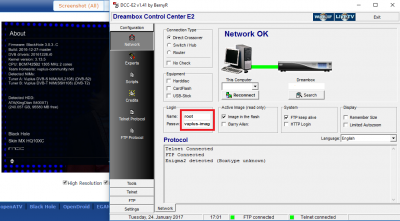
Cam Ports & Passwords
CCcam Web Info port: 16001
Username: root
Password: vuplus-images
Oscam Web Info Port: 8888
Username: admin
Password: vuplus-images
Oscam EMU Web Info Port: 16002
Username: admin
Password: vuplus-images
Oscam config directory: /etc/tuxbox/config
CCcam config directory: /etc
Mgcamd config directory: /usr/keys
FTP Password: vuplus-images
:donkicarol:


Due to the size of this backup no picons are installed. I recommend using a USB stick for Picons downloaded from the forums Picon Section.
New Flashers will want to add the vuplus-images XBMC/KODI Addons Archive.
/media/hdd/.xbmc folder for newbies
New Members please note you will need to post an Introduction here before you can download this or any other item on the forum.
Bootlogo

Splash Screen & LCDbootlogo

Whats Included?
Black Hole 3.0.2E of 09/01/2017
Settings
DirtyDonki Full Motor 05/01/2017
Cams
Oscam 11273
CCcam 2.2.1
Mgcamd 1.38d
Plugins
Kodi Launcher 16.1
VUPLUS-Images-Addons
CCcam Info (configured)
Oscam Status (configured for Oscam & Oscam EMU)
CrossEPG
OpenWebif
Picture Player
Transcoding Setup
WebRadio FS
(see screens for more)
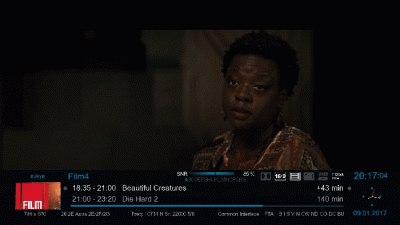
Screenshots
Other
Scrolling Program information in VFD screen
Oscam Streamboard_AtzefromBD Web Style
Radio Logo

Installed Skins
MX HQ10XC
Default
Cam Ports & Passwords
CCcam Web Info port: 16001
Username: root
Password: vuplus-images
Oscam Web Info Port: 8888
Username: admin
Password: vuplus-images
Oscam EMU Web Info Port: 16002
Username: admin
Password: vuplus-images
Oscam config directory: /etc/tuxbox/config
CCcam config directory: /etc
Mgcamd config directory: /usr/keys
FTP Password: vuplus-images
:donkicarol:
Due to the size of this backup no picons are installed. I recommend using a USB stick for Picons downloaded from the forums Picon Section.
New Flashers will want to add the vuplus-images XBMC/KODI Addons Archive.
/media/hdd/.xbmc folder for newbies
New Members please note you will need to post an Introduction here before you can download this or any other item on the forum.
Attachments
-
159.6 MB Views: 854