

- Messages
- 7,937
- Joined
- Sep 9, 2014
- Reaction score
- 7,767
- Points
- 628
Multiboot for openATV - All VU+ Receivers
kernel 3.9.6 and 3.13.5

Installation
Send the file to the /tmp directory of your receiver then issue the following command in telnet.
Restart GUI then select Blue > multiboot & choose your receiver.
After reboot available at /media/usb.
kernel 3.9.6 and 3.13.5
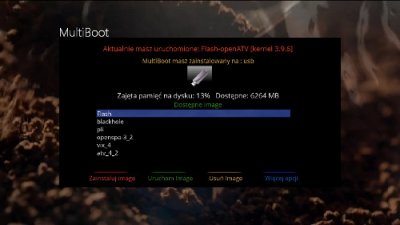
Installation
Send the file to the /tmp directory of your receiver then issue the following command in telnet.
Restart GUI then select Blue > multiboot & choose your receiver.
After reboot available at /media/usb.
Attachments
-
1 MB Views: 327


