VU+ Kodi Addons Navi-X 4 'script error' Fix

DirtyDonki

Staff member
Admin
I am the Nice One
Sep 10, 2014
261,165
39,296
97,728
Middle England, Planet Earth.
www.metal-army.uk
Thanks to 'jrbmw' for this:

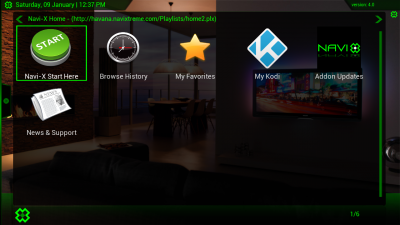
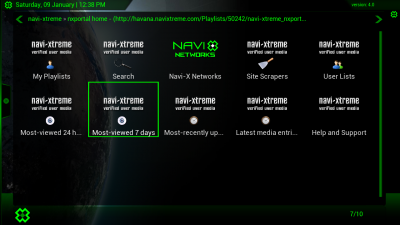
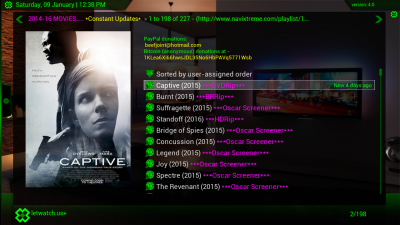
Here is a working Navi X file that fixes the 'script error' on Navi-X v. 4.

Working on BH 3.0.1 or BH 2.1.7, OpenATV 5.1. So should work with all XBMC enabled images.

Unzip then in Dcc click on expert then on show hidden files.

FTP the whole folder to Media/hdd/. xbmc /addons/

Start XBMC.

Enjoy
 

Attachments

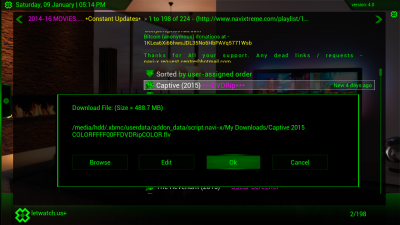
Working fine..thanks....but download not working for me...seems to hang and stall....anyone else got it working...
It does seem to take a second to think about it but then it does download OK for me.
 
do you have to have navi-x 4 installed before u can apply this file. or u just can install this file standalone
 
  • Like
Reactions: dorban117
Restarted receiver...waited 10mins no indication of a download...on 3.8.2 displayed download progress bottom of screen...,this one no.
 
im thinking maybe transfer it as a zip file to media/hdd and install from xbmc add from zip file,what do u think? because when I unzip it and send it media/hdd, I cannot find it, but says it transferred ok
 
I found folder script.navi-x, but how do I install it. when I click on it it only shows contents in it in xbmc
 
It does seem to take a second to think about it but then it does download OK for me.

Reverted back to 3.8.2.......download not a problem....so is it best to stay at 3.8.2?
 
I opened xbmc launcher in vuduo2, went into system, file manager,hdd, .xbmc, ,.xbmc, addons, found script.navi-x. I click on it it shows its contents. How do I get installed on xbmc to run, I mean execute it
 
Restarted receiver...waited 10mins no indication of a download...on 3.8.2 displayed download progress bottom of screen...,this one no.
Had a quick try before the football & the download appeared to have started but then could not do anything in xbmc, not a biggie for me as don't normally download through it but if i remember will start one tonight before going to bed & let you know the outcome in the morning.

screenshot000.png
 
Thanks ten. Unfortunately cannot finf it. I need to do a fresh install again of xbmc launcher. Can u tell me please how to do it please. Thanks
 
Thanks ten. Unfortunately cannot finf it. I need to do a fresh install again of xbmc launcher. Can u tell me please how to do it please. Thanks
powel if xbmc is running then no need to flash again, we all had similar problems at first but keep trying & the penny will finally drop. The install advice is simple but clear so if you struggling to follow any of it which bit is it?
Code:
Unzip then in Dcc click on expert then on show hidden files.

FTP the whole folder to Media/hdd/. xbmc /addons/

Start XBMC.

Sometimes taking a short break is best then when you go back it suddenly makes sense. :beer10:
 
Had a quick try before the football & the download appeared to have started but then could not do anything in xbmc, not a biggie for me as don't normally download through it but if i remember will start one tonight before going to bed & let you know the outcome in the morning.

View attachment 8862
Thanks TB that was as far as I was getting....will stick to 3.8.2 ok on that...:snicker:
 
I hope I am not butting in, I would like to thank you for the Navi X instructions got it to work no problems and with sound which I never had with 3.82.
 
  • Like
Reactions: powel
I hope I am not butting in, I would like to thank you for the Navi X instructions got it to work no problems and with sound which I never had with 3.82.

Yes..but how about downloading...bet you aint tried that...